
What is electronics and appliance repair software?
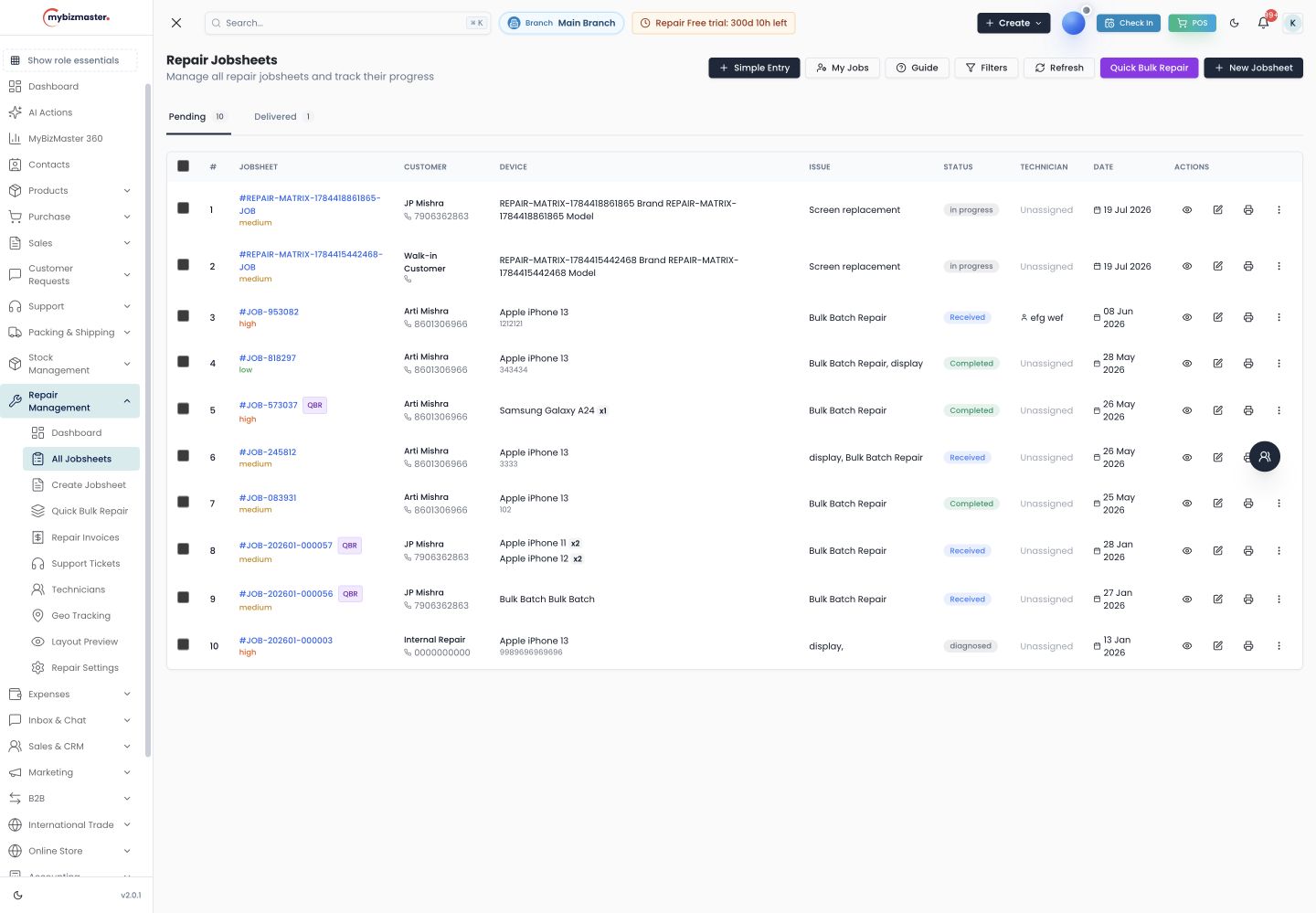
Electronics and appliance repair software books service jobs for TVs, ACs, inverters and other appliances, assigns them to technicians, tracks parts used and bills the customer. Because much of the work happens at the customer’s home, it also needs addresses, visit records and proof that the job was completed.
Which devices can I set up for TV, AC and inverter repair?
Smart TV, speakers, monitor, printer, router and camera are among the preset device types. You can add your own, such as AC, inverter, battery, washing machine, refrigerator or microwave, with the brands and models you service, so every job sheet uses the same names and your reports group correctly.
How do I manage home-visit repairs?
Mark the job as on-site and record the customer’s address. Assign it to a technician with a due time, and MyBizMaster flags it if the visit runs overdue. While the technician is out, their location can be tracked, and photos taken at the job carry where they were taken.
When the work is done, the customer signs to confirm completion. For an AC gas refill or an inverter battery swap, that signature and the photos are the record you need if the customer later disputes the visit.
Read next: Service centre management software
How do I control parts like PCBs, compressors and batteries?
Keep parts as stock items and issue them to the job that uses them; MyBizMaster deducts them from inventory and adds them to the bill. Parts taken on a home visit and not fitted can be returned to stock, so the van stock and the shop stock stay honest.
Read next: Inventory management
How do I record manufacturer warranty on appliances?
At intake, mark whether the appliance is under warranty, who provides it, and when it expires. If an appliance you repaired comes back, open a warranty case for labour, the part, or both, linked to the first job, so you know which repairs come back and why.
Read next: Free warranty card format
How do I bill appliance repairs with GST?
When the job closes, MyBizMaster creates a GST repair invoice with the visit charge, labour and parts, and splits tax into CGST and SGST or IGST by place of supply. Parts issued on the visit are already on the bill, so nothing has to be remembered and added back at the shop.
Pricing in INR
What does it cost?
Launch
Free forever
2 users, 1,000 products, 500 invoices a month
Business
₹7,999 a year
3 users, unlimited invoices, 14-day free trial
Growth
₹17,999 a year
5 users, 2 branches, CRM and WhatsApp campaigns
Enterprise Builder
₹79,999 a year
10 users included, 3 branches, add branches as you grow
Yearly prices from our live plan catalogue. GST is added at checkout. Compare all plans
Frequently asked questions
Can I use it for AC and inverter service?
Yes. Add AC and inverter as device types with the brands you service, then book counter jobs or home visits for them like any other repair.
Can technicians update jobs from the customer’s home?
Yes. MyBizMaster runs in the browser on a phone, so technicians can update status, add photos and take the customer’s signature on site.
Is this an authorised service centre system for a brand?
No. MyBizMaster is for independent repair businesses and multi-brand service centres to run their own jobs, parts and billing. It does not connect to any manufacturer’s warranty claim system.
Last reviewed: