
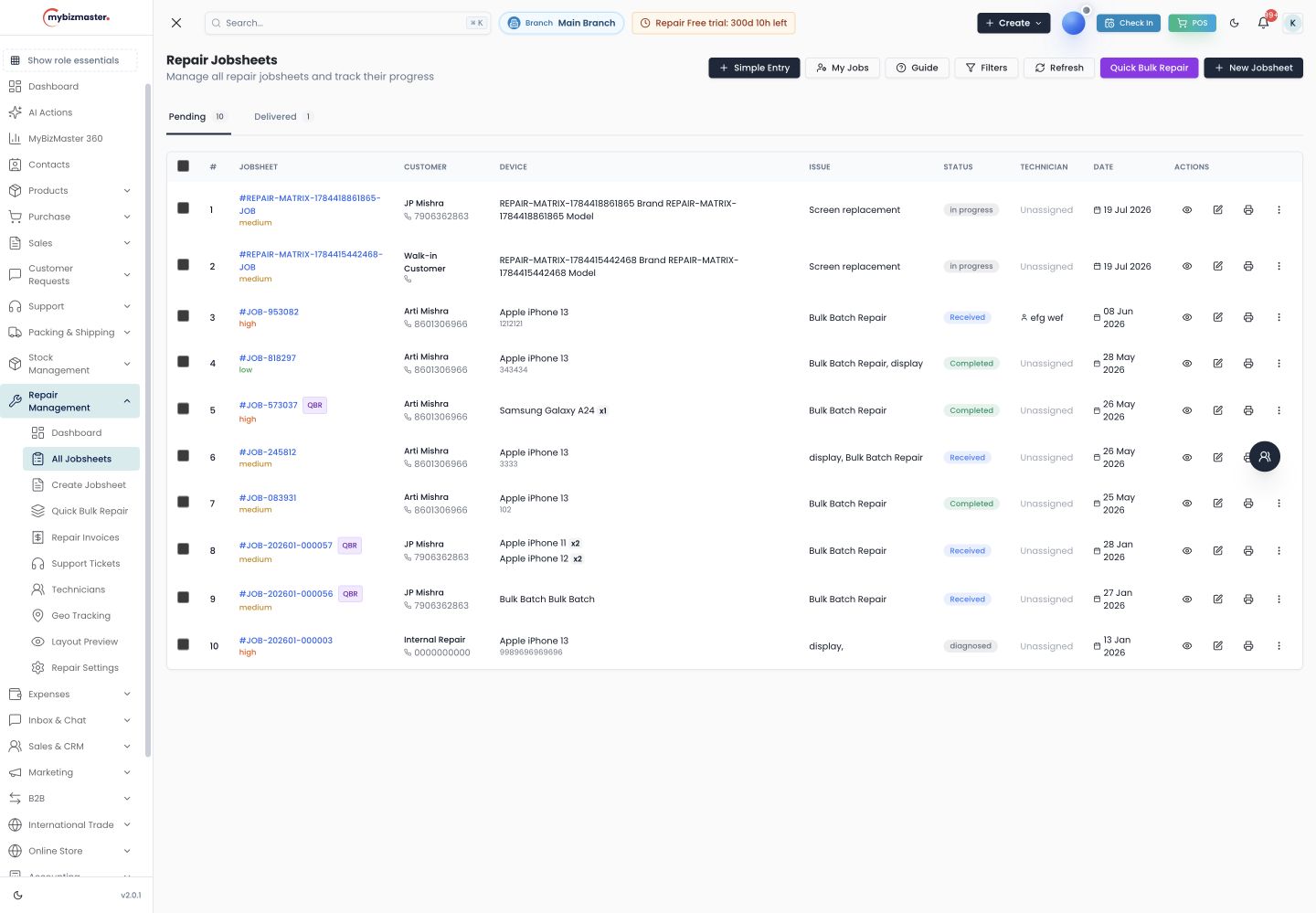
What is a repair job sheet?
A repair job sheet, also called a job card, is the record a repair shop opens when a customer drops off a device. It lists the customer, the device and its IMEI or serial number, the reported problem, the condition and accessories received, the estimate and advance, and the expected delivery date.
The customer copy is their receipt for the device; the shop copy tells the technician what to fix. When the job sheet is digital, both copies stay in sync, the details can be searched, and nothing has to be read from someone’s handwriting.
What does MyBizMaster record on each job sheet?
Each job sheet records the customer and mobile number, device type, brand and model, IMEI or serial number, password or pattern lock, reported issue, device condition, accessories received, before-repair photos, estimated cost and advance paid with its payment mode. Expected completion date and assigned technician are set on the job too.
- Pattern locks are drawn on screen instead of being sketched on paper.
- Before-repair photos can be switched to compulsory at receiving.
- A fast-intake screen keeps the counter quick when the queue is long.
- Searching a phone number shows the devices that customer brought in before.
Can I print the job sheet and label the device?
Yes. Job sheets print in three layouts, standard, compact and detailed, so you can choose between a full A4 sheet and a short receipt. A barcode token can be printed and stuck on the device, and printing can go straight to a network printer at the counter.
The printed sheet carries your shop name, address and, if you choose, your logo, plus the warranty period for the work, so the customer leaves with a clear record of what was handed over and what was promised.
Read next: Free repair job sheet format
How does a job sheet move from received to delivered?
Each job sheet moves through statuses such as received, diagnosed, parts ordered, in progress, quality check, ready for pickup and delivered, with fifteen built in and room for your own. Every change is saved in the job’s status history, so you can see where a device waited and for how long.
Can the customer approve the estimate from the job sheet?
Yes. Once the job is diagnosed, you can send an approval link for the estimate by WhatsApp or SMS. The customer approves or rejects it on their phone and the answer is saved on the job sheet. If the price changes, a revised estimate goes out the same way.
Read next: WhatsApp status updates for repair shops
What happens to the job sheet when the repair is done?
When the repair is finished, the parts issued and the labour on the job sheet become a GST repair invoice, with CGST and SGST or IGST worked out from the place of supply. Parts were already deducted from stock when issued, so the bill and the inventory agree.
Read next: Repair shop management software · Mobile repair bill format
Is a digital job sheet better than a paper job sheet book?
For a shop handling more than a few devices a day, yes. A digital job sheet cannot be lost, can be searched by phone number or IMEI, sends the customer updates, and turns into a bill without retyping. A paper book is cheaper on day one but costs time on every enquiry call.
If you are staying on paper for now, download our free job sheet format. It has the same fields as the MyBizMaster job sheet, so switching later is easy.
Frequently asked questions
Is the repair job sheet software free?
Repair businesses can use job sheets on the free Launch plan, with 2 users and 500 invoices a month. Paid plans start at ₹7,999 a year.
Can I store the IMEI of a phone on the job sheet?
Yes. The job sheet has an IMEI or serial number field, and MyBizMaster checks it against open jobs at intake so the same device is not booked in twice.
Can I customise the job sheet print?
You can choose between standard, compact and detailed layouts for the printed job sheet, and it carries your shop name, address and, if you switch it on, your logo.
Can one job sheet hold more than one device?
Yes. A job can include several devices for the same customer, and each device can have its own technician.
Last reviewed: